

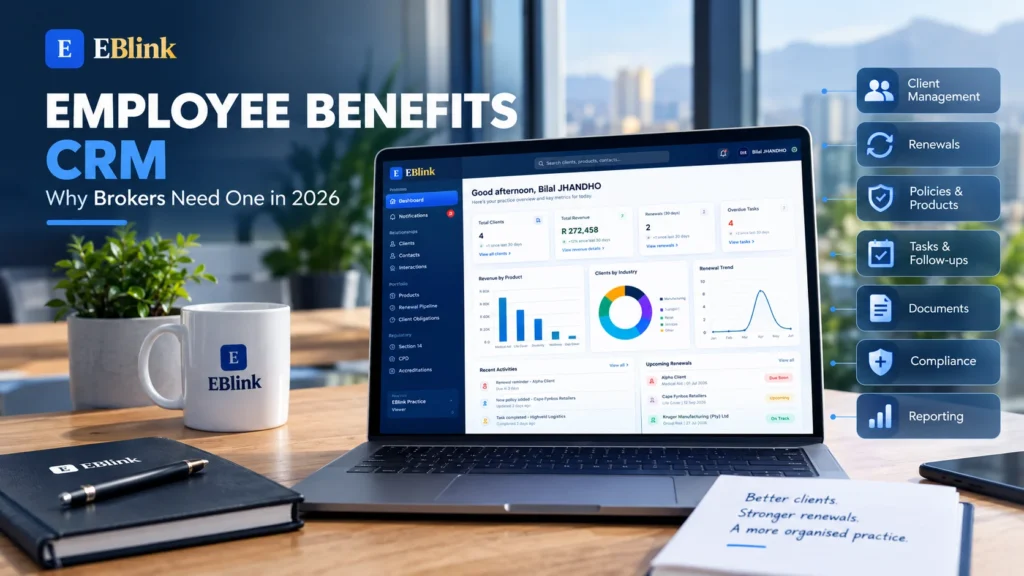
Employee benefits CRM software can help brokers manage growing client books, renewals, documents, compliance activities and team workflows from one central system.
Managing an employee benefits practice involves much more than advising clients and comparing products. Brokers also need to keep track of employer information, policies, renewal dates, client communication, tasks, documents and important deadlines.
When this information is spread across spreadsheets, emails and separate folders, keeping everything organised can become difficult.
A central CRM gives brokers a structured way to manage their practice and maintain visibility across their client relationships.
What Is an Employee Benefits CRM?
An employee benefits CRM is a customer relationship management system that helps brokers organise the information and activities associated with their clients.
Instead of relying on separate spreadsheets and folders, brokers can manage important information through a central platform.
Depending on the system, this can include:
- Employer and client information
- Contacts and interactions
- Benefit products and policies
- Renewal dates
- Tasks and follow-ups
- Client documents
- Revenue and commission information
- Compliance activities
- Team responsibilities
- Practice reporting
The idea is straightforward: give the brokerage one organised place to manage its day-to-day work.
Why Brokers Need an Employee Benefits CRM in 2026
As an employee benefits practice grows, the amount of information that needs to be managed grows with it.
A broker may have dozens or hundreds of employer relationships, multiple products per client, upcoming renewals, outstanding tasks and documentation that needs to be maintained.
Trying to manage all of this manually can make it harder to see what needs attention.
A centralised CRM can help create a more consistent workflow.
1. Keep Client Information in One Place
Client information is one of the most important assets in a brokerage.
An employer record can contain contact details, industry information, staff numbers, schemes, products, renewal dates and other important information.
If these details are stored across different spreadsheets or documents, finding the right information can take unnecessary time.
With a central client management system, brokers can access important information from a structured client record.
This can also make it easier for another team member to understand a client relationship when responsibility changes or additional support is required.
2. Manage Renewals More Effectively
Renewals are an important part of employee benefits administration.
A brokerage may have several clients approaching renewal at different times of the year. Each renewal can involve preparation, communication, product information, documentation and follow-up.
A CRM with a renewal pipeline can make these activities easier to track.
Instead of relying on a spreadsheet or calendar reminder alone, brokers can organise renewals according to their stage and upcoming deadlines.
For example, a practice can keep track of:
- Upcoming renewals
- Renewal preparation
- Client discussions
- Provider or product reviews
- Outstanding information
- Follow-up tasks
- Completed renewals
This gives the team a clearer picture of the renewal workload.
3. Reduce Dependence on Spreadsheets
Spreadsheets can be useful tools, especially for smaller businesses.
The challenge comes when a practice starts using multiple spreadsheets for different purposes.
One spreadsheet may contain clients. Another may track renewals. Another may contain revenue information, while individual team members keep their own notes.
This can create duplicated information and make it difficult to know which information is current.
A centralised CRM can bring these workflows together.
Rather than replacing every spreadsheet immediately, a brokerage can gradually move its most important processes into one organised system.
4. Improve Team Visibility
Employee benefits practices often involve multiple people working on the same client relationships.
A broker may manage the relationship while another team member handles documentation, administration or follow-ups.
Without a shared system, important information can remain inside individual inboxes or personal notes.
A CRM can give authorised team members visibility into client activities, tasks and responsibilities.
This can help teams understand what has already happened and what still needs to be completed.
It also creates a clearer handover process when another person needs to assist with a client.
5. Track Compliance Activities
Compliance-related administration is another area where organisation matters.
Brokers need to maintain appropriate records and stay informed about regulatory requirements relevant to their activities.
A CRM can help organise compliance-related tasks and information alongside the relevant client records.
For example, a brokerage may use its system to keep track of outstanding obligations, important dates, supporting documents and internal follow-ups.
A CRM does not replace professional compliance advice or regulatory obligations. Instead, it can provide a structured way to manage the administrative side of those activities.
For South African financial services businesses, the Financial Sector Conduct Authority (FSCA) provides regulatory information and resources for regulated financial institutions and financial services professionals.
WORDPRESS LINK: Link the words Financial Sector Conduct Authority (FSCA) to the official FSCA website.
6. Get Better Visibility Into the Practice
A modern CRM should do more than store contact information.
It should also help management understand what is happening across the practice.
For example, a brokerage may want to know:
- How many active clients are being managed?
- Which renewals are approaching?
- Which tasks are overdue?
- Which client accounts need attention?
- What revenue is being generated?
- Which team members are responsible for specific activities?
- Where are potential bottlenecks?
A dashboard can make this information easier to understand without requiring managers to collect updates manually from several different sources.
What Should Brokers Look for in a CRM?
Choosing a CRM is about more than finding software that stores contacts.
The system should support the actual workflow of the brokerage.
Here are several areas brokers should consider.
Client Management
The system should make it easy to create, search and manage employer and client records.
Important information should be easy to find without searching through multiple spreadsheets.
Policy and Product Management
Brokers should be able to connect relevant products and policies to the appropriate client or employer group.
This creates a clearer relationship between the client and the products being managed.
Renewal Management
Renewals should be visible and organised.
A renewal pipeline can help teams understand which accounts are upcoming, in progress or completed.
Task Management
Tasks and follow-ups should be easy to create, assign and monitor.
This is particularly useful when several people are involved in managing the same client.
Document Management
Important client and practice documents should be organised and accessible to authorised users.
A structured document process can reduce the need to search through multiple folders and email conversations.
Reporting and Business Visibility
Management should be able to see useful information about the practice.
Dashboards and reports can help turn operational information into a clearer view of the business.
Security and Access Controls
Client and business information should be handled carefully.
A CRM should provide appropriate access controls so organisations can determine which users can access different information and functions.
How EBlink Helps Employee Benefits Brokers
EBlink is built around the day-to-day needs of an employee benefits practice.
The platform brings areas such as clients, contacts, interactions, products, renewal pipelines and client obligations into one practice management environment.
The EBlink dashboard also gives brokers an overview of important business information.
For example, the dashboard can display information about active clients, recurring revenue, upcoming renewals and outstanding compliance activities.
This type of overview can help brokers see what needs attention without having to manually combine information from different spreadsheets.
The platform also includes areas for Section 14, CPD and accreditations, helping practices keep relevant activities organised within the same environment.
INTERNAL LINK: Link the first mention of EBlink in this section to your eblink.co.za homepage.
A Central View of the Practice
One of the benefits of bringing these activities together is visibility.
Instead of looking at clients in one place, renewals in another and compliance activities somewhere else, brokers can work from a connected practice-management system.
This can make it easier to move from individual client management to a broader view of the entire practice.
For a growing brokerage, that visibility can become increasingly valuable.
Moving From Manual Processes to a Centralised System
Moving to a CRM doesn’t mean that a brokerage has to change every process at once.
A practical approach is to start with the areas that create the most administrative work.
For example, a practice could begin by organising:
- Client information
- Contact records
- Renewal tracking
- Tasks and follow-ups
- Product and policy information
- Documents
- Compliance activities
- Reporting
Once these areas are organised, the team can gradually build more consistent processes around the system.
The objective isn’t simply to replace a spreadsheet.
The objective is to create a central source of information that helps the team understand clients, workloads, renewals and important activities.
Final Thoughts
An employee benefits CRM can become an important part of a modern brokerage’s technology stack.
As a practice grows, managing clients, renewals, products, documents, tasks and compliance-related activities manually can become increasingly difficult.
A centralised system can give brokers better visibility, improve organisation and help teams work from the same information.
The right CRM should support the way an employee benefits practice actually operates rather than forcing the team to manage its business around generic software.
For brokers looking to create a more organised and scalable practice in 2026, moving from disconnected spreadsheets and manual processes to a centralised CRM can be an important step.
Ready to bring your employee benefits practice into one central platform? Visit eblink.co.za to explore how EBlink can help you manage your brokerage in one place.