

Employee Benefits Broker Lead Management: 7 Smart Tips. South African employee benefits brokers need more than referrals to grow a sustainable brokerage. They also need a reliable way to organise employer enquiries, track conversations, schedule follow-ups and turn suitable prospects into long-term clients.
Employee benefits broker lead management helps brokerage owners and advisers create a more consistent approach to new business. Instead of relying on scattered spreadsheets, email inboxes and memory, brokers can build a repeatable process for managing potential clients.
For South African brokers working with employee benefits, retirement funds, group risk and related workplace benefits, better organisation can make it easier to maintain professional communication while keeping existing client responsibilities visible.
In this guide, discover seven practical ways to improve lead management and how a broker-focused CRM such as EBlink can support a more organised practice.
What Is Employee Benefits Broker Lead Management?
Employee benefits broker lead management is the process of recording, organising and following up with prospective employer clients throughout the business development journey.
A typical process may include:
- Receiving an enquiry from an employer.
- Recording the business’s contact details and requirements.
- Scheduling a follow-up conversation.
- Understanding the employer’s employee benefits needs.
- Arranging a suitable meeting or review.
- Recording the outcome and agreeing on the next step.
- Maintaining communication until the opportunity progresses or closes.
A structured process helps brokers reduce missed follow-ups and maintain a clearer view of potential new business.
1. Record Every Employer Enquiry in One Place
A potential client may contact your brokerage through a referral, email, telephone call, LinkedIn message or your website. If these enquiries remain scattered across different platforms, it becomes difficult to maintain a complete record.
Create a consistent process for capturing every relevant enquiry. Record information such as:
- Employer or business name.
- Contact person’s name and role.
- Business email address and telephone number.
- Source of the enquiry.
- Date of the first conversation.
- Employee benefits requirements.
- Agreed next action.
Keep the information accurate and collect only what you reasonably need for business purposes.
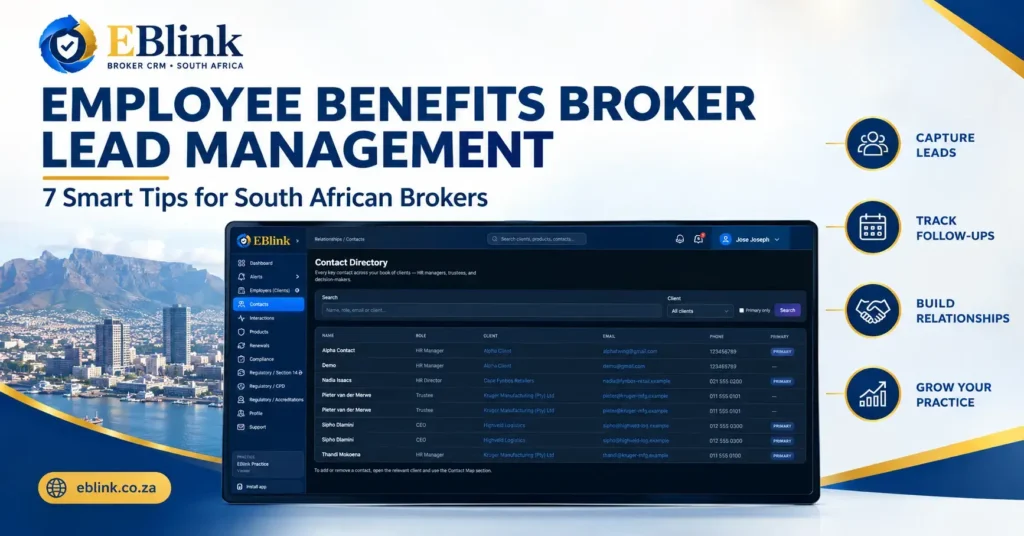
Using a centralised CRM can help your team find employer and contact records more easily. EBlink provides client and contact management functionality designed for employee benefits broker practices.
Explore the EBlink broker CRM to see how a more organised information-management process can support your brokerage.
2. Identify the Most Relevant Prospects
Not every enquiry represents the same opportunity. Some employers may be actively reviewing their employee benefits arrangements, while others may simply be gathering information for a future decision.
Develop a consistent method for prioritising enquiries based on relevant business factors, including:
- Whether the employer has a clearly identified need.
- The expected timing of the decision.
- Whether you have reached the appropriate decision-maker.
- The services the employer is seeking.
- Whether your brokerage can appropriately meet those requirements.
Avoid treating every enquiry as an immediate sales opportunity. A professional qualification process helps you focus your time while giving other suitable prospects a clear next step.
For example, an employer planning an employee benefits review in the next quarter may need a scheduled follow-up, while an employer requesting an initial discussion may need a discovery meeting first.
3. Set a Clear Follow-Up Date for Every Prospect
One of the most common problems in business development is forgetting to follow up after an initial conversation.
A prospect may be interested but busy, waiting for internal approval or comparing options. Without a planned next action, the conversation can lose momentum.
After every meaningful interaction, record:
- What was discussed.
- What information the employer needs.
- Who is responsible for the next action.
- The agreed follow-up date.
- The outcome of the next contact.
Where appropriate, use CRM notifications, calendar reminders or your existing task-management process to keep commitments visible.
EBlink includes an Interactions area for recording client-related activity and a Notifications area for viewing relevant alerts. These existing practice-management features can support more consistent follow-up when used as part of your brokerage’s workflow.
4. Keep Contact History Organised
When an employer responds after several weeks, you should not have to search through multiple email threads to remember the previous discussion.
Maintain an accurate history of relevant conversations, meetings and agreed actions. This helps you understand the relationship before contacting the prospect again.
A useful interaction record may include the date, contact person, subject, key discussion points and next action.
Good records also help colleagues maintain continuity when another team member needs to assist with the relationship.
Remember to handle contact information and business correspondence responsibly. South African businesses should consider their applicable obligations under the Protection of Personal Information Act (POPIA). Visit the Information Regulator South Africa for official information about data protection and privacy.
5. Use a Consistent Process From Enquiry to Client
Lead management becomes easier when everyone follows a defined process rather than making decisions differently for each enquiry.
Your brokerage could use a simple workflow:
- New enquiry: Record the employer and contact details.
- Initial contact: Establish the employer’s requirements.
- Qualified opportunity: Confirm that the enquiry is relevant to your services.
- Meeting or review: Arrange the next discussion.
- Proposal or decision stage: Track outstanding information and agreed actions.
- Outcome: Record whether the opportunity progressed, was postponed or did not proceed.
- Client onboarding: If appointed, transfer the relationship into your normal client-management process.
These are suggested workflow stages, not a claim that EBlink has a dedicated lead-pipeline module. You can adapt the process to the functionality available in your current systems.
Once a prospect becomes a client, organised client and contact records become especially important for ongoing service, renewals and relationship management.
6. Review Your Business Development Activity Regularly
If you only review leads when business is quiet, you may overlook opportunities that need attention.
Set aside time each week to review your prospect records and ask:
- Which enquiries have not received a response?
- Which prospects need a follow-up?
- Which meetings are scheduled?
- Which opportunities are waiting for information?
- Which conversations have gone quiet?
- Which prospects should be contacted at a later date?
You can also monitor basic business development measures, such as the number of new enquiries, meetings arranged, proposals issued and appointments secured.
Use these measures to understand your process rather than assuming that a high enquiry count automatically means business growth. The quality and suitability of enquiries matter too.
7. Choose a CRM That Fits an Employee Benefits Brokerage
Generic tools can help with basic contact tracking, but employee benefits brokers also need to manage existing employer relationships, renewal activity, products and ongoing practice responsibilities.
A CRM suited to your working processes can reduce information fragmentation and make routine administration easier.
When evaluating a broker CRM, consider whether it supports:
- Centralised employer and contact records.
- Interaction and communication history.
- Visibility of relevant practice activity.
- Renewal tracking.
- Client obligation management.
- Access to the information needed for follow-up and service delivery.
EBlink is designed for employee benefits brokers in South Africa. Its client management, contacts, interactions, renewal pipeline and client obligations sections can support the organisation of ongoing brokerage work.
These features can complement your lead-management process by helping you maintain continuity as new business relationships develop into active client relationships.
Visit the EBlink website to learn more about the platform. You can also access the EBlink CRM application to explore the application.
Build a More Organised Employee Benefits Brokerage
Effective employee benefits broker lead management is not simply about collecting contact details. It is about creating a reliable process for recording enquiries, understanding employer requirements, maintaining contact history and following up when promised.
Start with seven practical improvements: capture enquiries centrally, prioritise suitable prospects, set follow-up dates, record conversations, use a consistent workflow, review activity regularly and choose tools that fit your brokerage.
For South African employee benefits brokers who want to bring client information and ongoing practice activity into a more organised process, a broker-focused CRM is worth evaluating.
Want to organise your employee benefits brokerage more effectively? Visit EBlink to learn how its broker CRM can help you manage client relationships, renewal activity and client obligations in one platform.
Follow EBlink for more practical guidance: